
exacqVision Enterprise
Large Scale, Intuitive VMS Software
- Features
- Features Matrix
- Photos
- Videos
- System Requirements
- Part Numbers
- Resources
exacqVision Enterprise
Large Scale, Intuitive Video Management System (VMS) Features
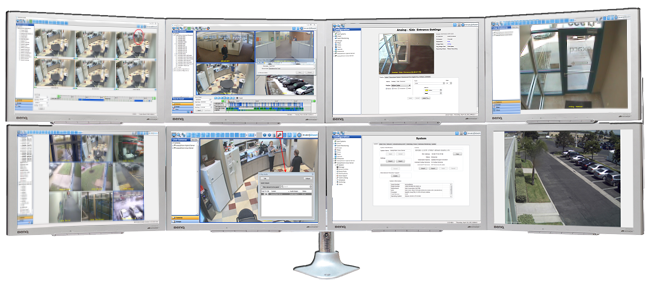
- Customizable video wall
- Two-way audio
- Interactive & multi-level mapping
- Data integration from retail and access control systems
- Notification overlays
Effectively monitor video, audio and data in real time
- Push individual live cameras or an entire view of live cameras to another exacqVision user or public view monitor
- Powerful thumbnail, timeline and list search capabilities
- Export video in open-standard video formats
- Or export as a self-contained player with tamper protection
Reduce review time and conduct investigations seamlessly
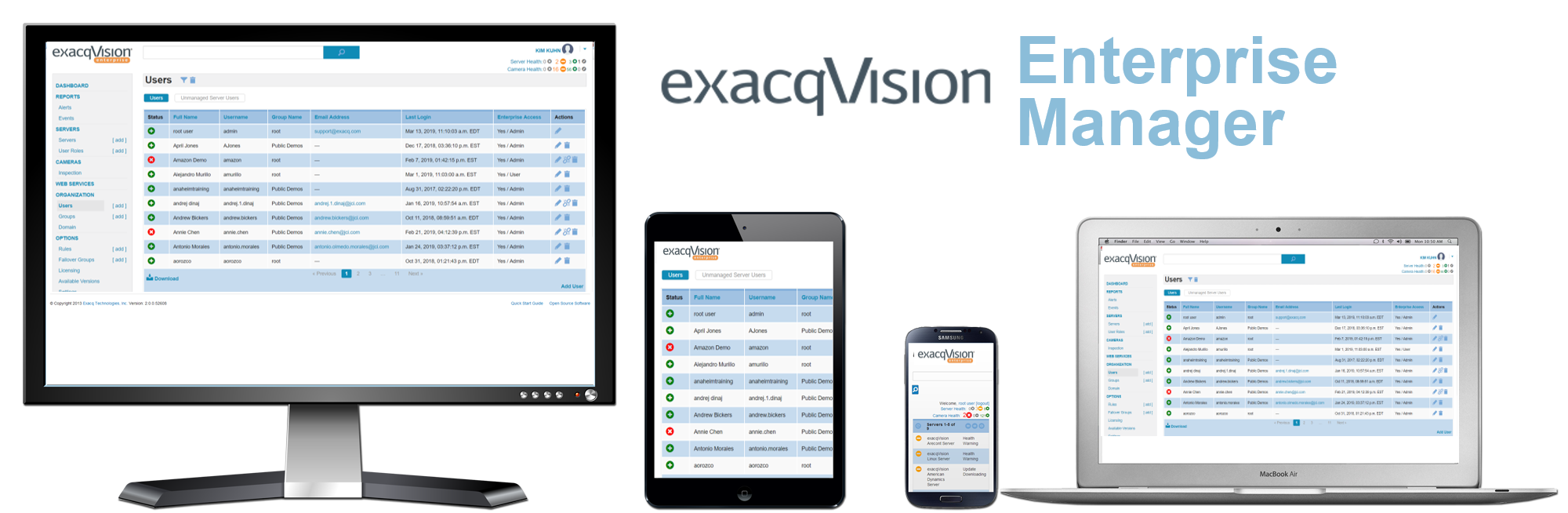
Enterprise Manager
- Maximize uptime of exacqVision recorders
- Access health instantly from anywhere
- Increase reliability with automatic failover
- Create highly flexible e-mail notifications
- Reduce software maintenance time
- Monitor camera health
Enterprise Manager is now an integrated part of exacqVision Enterprise VMS software.
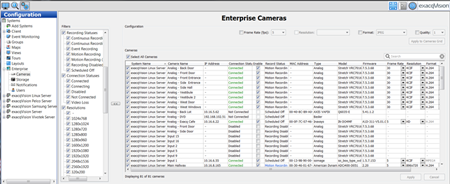
Multi-Server Administration
- Cameras: Globally configure and monitor camera settings across the enterprise
- Storage: Monitor storage health, configure S-Series storage connections
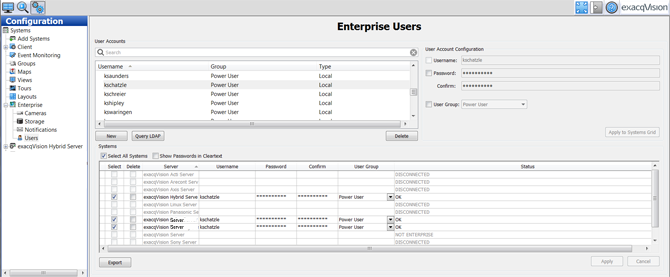
- Users: Simultaneous administration of all users on multiple servers
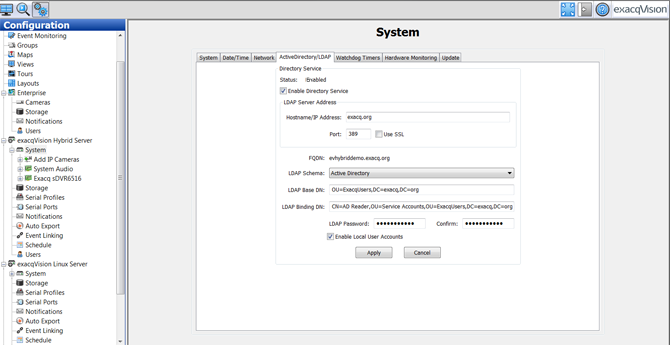
- LDAP and Active Directory Integration for standardized network administration
- E-Mail and Text Notifications: Quickly configure notification rules on all servers
Single screen administration across multiple systems
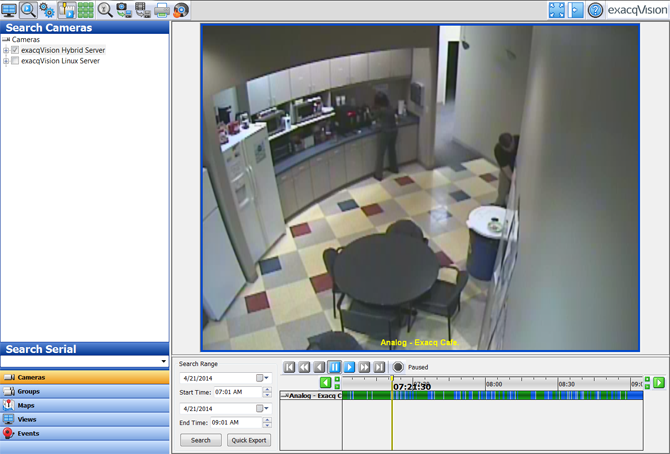
Build a Best-of-Breed Physical Security System
- exacqVision Enterprise VMS is compatible with:
- Over 1,000 IP camera models and encoders from more than 60 manufacturers
- 20 access control systems
- Video analytics solutions for license plate recognition, heat mapping and intrusion detection
- Retail and point-of-sale analytics
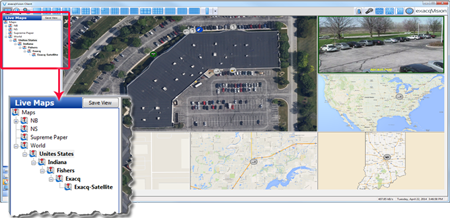
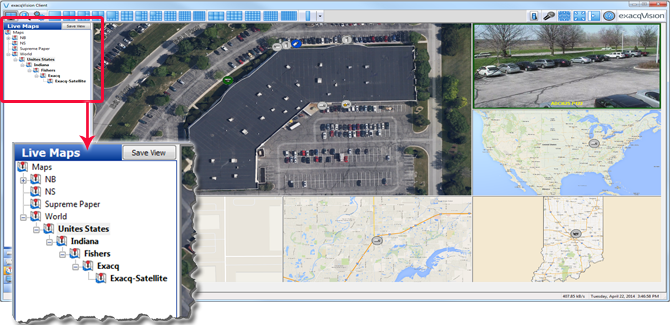
Multi-Level Mapping
- Create hierarchical nesting of maps for faster camera and device navigation.
Ease of Use & Flexible
- Requires little to no training
- Software installs in minutes
- EasyConnect automatically finds, assigns and addresses certain IP cameras to the network
- Auto-detection and connection of most IP cameras
- Easily add IP camera licenses at any time
- Per camera licensing with no base server fee
Constantly Expanding Functionality with Included Software Updates
- Get more video management features without replacing your entire video management system
- Includes one year free software updates (three years on exacqVision NVR's)
Flexible Deployment
- exacqVision Enterprise VMS software pre-configured and pre-installed on exacqVision out-of-the-box network video recorders
- Installs on third-party servers
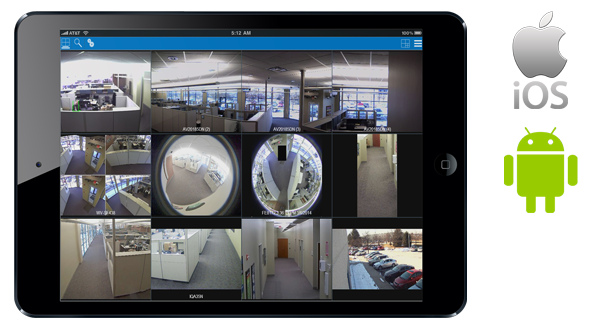
View Video Anywhere with Free Client Software
- Select the interface that works best for you
- Access live and recorded video on Windows, Linux or Mac PCs
- Use the free web service application in any modern browser
- Download the free Exacq Mobile app available for iOS and Android
Highly Scalable
- Single client connects to thousands of servers
- Allows you to connect up to 175 Max IP Streams
- Video analytics for license plate recognition, heat mapping and intrusion detection
- Offers high video throughput with minimal CPU and RAM requirements necessary
 |
 |
|
| System | ||
| Max IP Streams Per Server | Up to 200 | Up to 200 |
| Max Server Connections Per Client | 512 (client) 16 (web browser client) |
512 (client) 16 (web browser client) |
| Windows and Linux Server Compatibility | Yes | Yes |
| Free Windows, Linux and Mac Clients | Yes | Yes |
| Browser-Based Viewing of Live/Stored Events Deploy a web server to support client access from IE, Chrome, Safari, Firefox and Opera browsers |
Yes | Yes |
| Compatible with Free Exacq Mobile App Free iOS or Android application to view live or stored video |
Yes | Yes |
| EasyConnect to Compatible IP Cameras Automatically finds, assigns and addresses certain IP cameras to the network |
Yes | Yes |
| Fisheye/Panoramic Lens Support (Live & Recorded) De-warp circular images directly in the client for supported cameras and lenses |
Yes | Yes |
| Client Bandwidth Throttling Optimize video data rates over limited bandwidth client connections |
Yes | Yes |
| Pre/Post Alarm Recording Capture the entire event with configurable pre- and post- event recording |
Yes | Yes |
| Soft Triggers Set up buttons in exacqVision client to trigger external events in other systems |
Yes | Yes |
| Time-Lapse Recording Prove that cameras are always recording without consuming lots of storage space |
Yes | Yes |
| Extended Storage Expand primary video and audio storage using exacqVision's S-Series or industry standard NAS |
Yes | Yes |
| Network Archiving Archive important video and audio to an exacqVision S-Series storage server or industry standard NAS devices |
Yes | Yes |
| Per-Camera Min/Max Retention Specify minimum/maximum video retention time per camera |
Yes | Yes |
| Audit Trail See who modified the system and when |
Yes | Yes |
| Custom User Groups Set up groups of users with specific permissions |
Yes | Yes |
| Third-Party Integrations Integrate with access control, analytics, retail, intrusion systems and more |
Yes | Yes |
| Email Notifications for System Health Events Receive an email notification when a system is experiencing hardware failures or other health events |
Yes | Yes |
| exacqVision exacqVision Surveillance Keyboard Support Control PTZ cameras accurately and navigate exacqVision faster with the exacqVision surveillance keyboard |
Yes | Yes |
| Desktop Client Remote Connectivity | Yes | Yes |
| Cloud Identify Provider Integration (SSO/MFA) | - | Yes |
| Cloud Storage | - | Yes |
| NVR Failover | - | Yes |
| Enterprise Camera Management | - | Yes |
| Health Dashboard of exacqVision NVRs and Attached Cameras | - | Yes |
| Advanced User Role Management | - | Yes |
| Dynamic Client Connection Management | - | Yes |
| Scheduled Configuration Backups and Recoveries | - | Yes |
| Scheduled Version Updates | - | Yes |
| LDAP/Active Directory Manage user access to exacqVision through existing active directory |
- | Yes |
| Live View | Professional | Enterprise |
| Suspect Tracking Track and monitor suspicious activity across multiple cameras |
Yes | Yes |
| View Cameras on Multiple Monitors Configure multi-camera layouts spanning one or more monitors |
Yes | Yes |
| PTZ Control and Presets Manually control PTZ cameras or define and call up presets or tours of presets |
Yes | Yes |
| Digital PTZ Control and Presets Digitially zoom in and around high mega-pixel cameras images |
Yes | Yes |
| Motion and Alarm Indication View color-coded notification borders for motion and alarm events as they happen |
Yes | Yes |
| Event Linking on Discrete Inputs Automatically execute actions when camera inputs are triggered |
Yes | Yes |
| Event Linking on Video, Serial and Health Events Automatically execute actions on a variety of conditions including motion events, serial data or health events |
Yes | Yes |
| Event-Driven and Time-Based Video Switching Direct operator attention to specific cameras with event-driven and time-based video switching |
Yes | Yes |
| Camera Groups Define groups of cameras for faster inspection |
Yes | Yes |
| Multi-Streaming Record and view multiple streams of video from individual cameras |
Yes | Yes |
| Event Notifications Send email notifications as a response to input events, motion event, alarm events and more |
Yes | Yes |
| Two-Way Audio Receive audio from cameras and transmit audio to server or camera audio outputs for two-way communication |
Yes | Yes |
| Maps Define maps for rapid navigation of cameras according to their physical location |
Yes | Yes |
| VideoPush Video Wall Push individual live cameras or an entire view of live cameras to another exacqVision user or public view monitor |
- | Yes |
| Web Panels Create custom web panels for remote monitoring and control |
- | Yes |
| Hierarchical Maps for Fast Camera Navigation Define nested maps for rapid navigation of large numbers of cameras according to their physical location |
- | Yes |
| Automated Camera Inspection Automatically inspect cameras according to a predefined schedule |
- | Yes |
| Search, Playback, Export and Archive | Professional | Enterprise |
| Smart Search Search video intelligently using various criteria |
Yes | Yes |
| exacqReplay Instant Replay Instantly review video from the live view screen |
Yes | Yes |
| Thumbnail and Timeline Event Search Visually search video using thumbnail or timeline views |
Yes | Yes |
| POS and ATM serial text search Search point-of-sale, ATM data and more to view video from the corresponding time |
Yes | Yes |
| Multi-Camera Playback Simultaneously review multiple cameras during playback |
Yes | Yes |
| Export to DVD Burn video directly to a DVD from exacqVision |
Yes | Yes |
| Export to .AVI, .MOV, .MP4 or .EXE File Export video to industry standard .AVI or a self-contained executable player |
Yes | Yes |
| Bookmarking Permanently save, label and manage important video |
Yes | Yes |
| Multiple Camera Export Export more than one camera (self-contained player export only) |
Yes | Yes |
| Case Management Organize bookmarks into cases |
- | Yes |
| Software Updates | Professional | Enterprise |
| Available for Purchase |


|
|
| Software Updates Included (on exacqVision Servers) |
5 years | 5 years |
| Software Updates Included (on 3rd-party Servers) |
1 year | 1 year |
| Supported languages (all versions) |

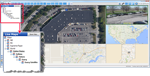
Multi-Level Mapping
Active Directory and LDAP
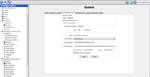
Enterprise User Setup
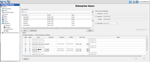
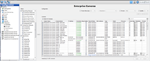
Enterprise Cameras
Timeline Search
Camera Links
Bookmarking
Two-Way Audio
Data Integration
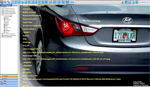
VideoPush
View Video Anywhere
Multi-Level Mapping
Add any number of nested maps to the client and place cameras and alarms on the map for an instant visual assessment of the entire enterprise system.
Active Directory and LDAP
Configure exacqVision permissions and privileges for accounts that exist on an active directory server for standard network administration and easy deployment in an enterprise setting.
Enterprise User Setup
Allows user to enter a single entry to create or edit a user profile to multiple servers across the deployment.
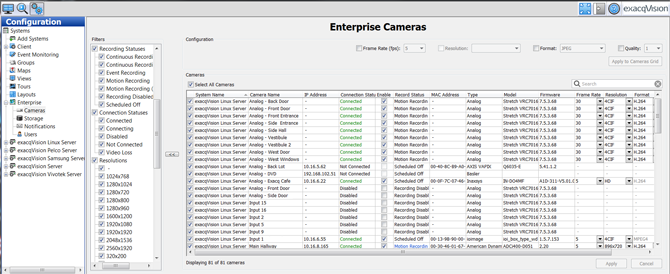
Enterprise Cameras
Configure and administer camera settings on the enterprise system from one screen.
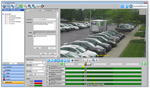
Timeline Search
Use the timeline search feature to quickly find video and audio for a single camera or an entire view. Video frames automatically populate as the timeline cursor is moved for a fast and intuitive search even in low bandwidth connections.
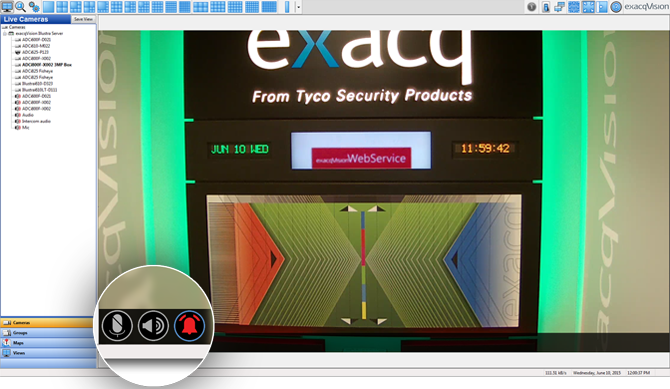
Camera Links
Configure overlay controls to appear on live view when you navigate and hover over a camera.
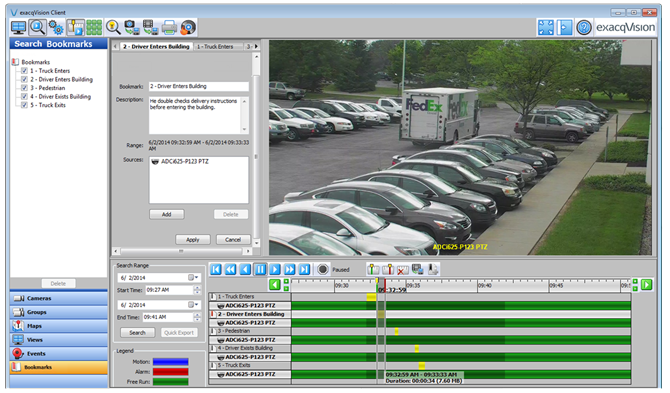
Bookmarking
Allows users to permanently save, label and manage important video clips on the server.
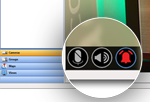
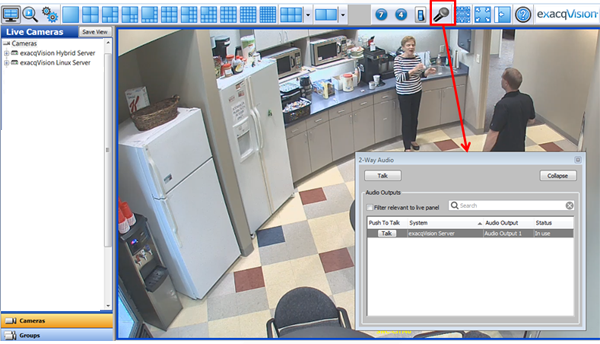
Two-Way Audio
Two way audio adds the ability to stream audio from the client to the server's audio output port. Click the microphone icon to show the configured speaker list.
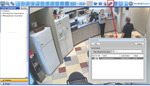
Data Integration
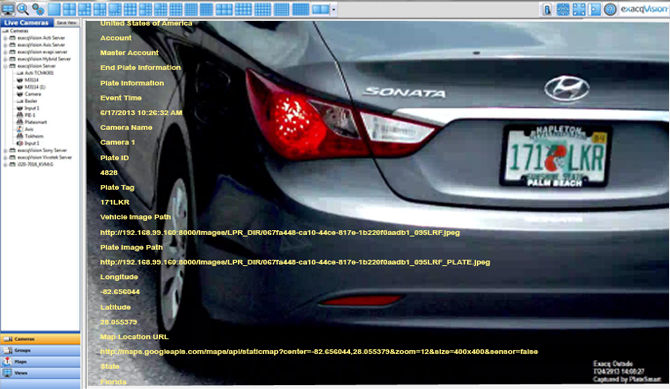
exacqVision integrates with more than 20 access control systems, video analytics solutions for license plate recognition, heat mapping and intrusion detection.
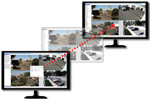
VideoPush
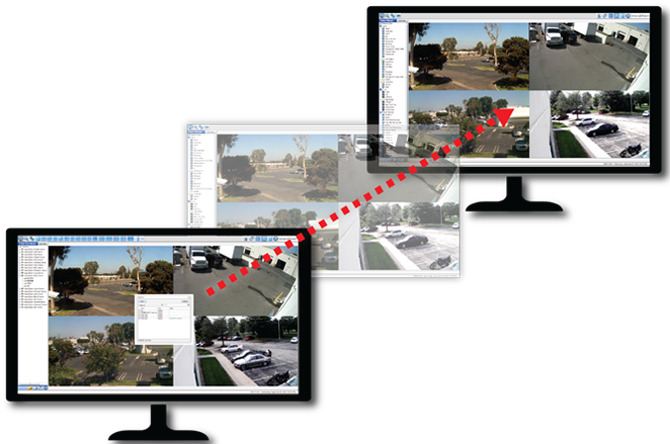
VideoPush gives users the ability to instantly push selected cameras, layouts, tours, groups or entire views to another exacqVision client monitor or a public view monitor.
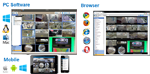
View Video Anywhere
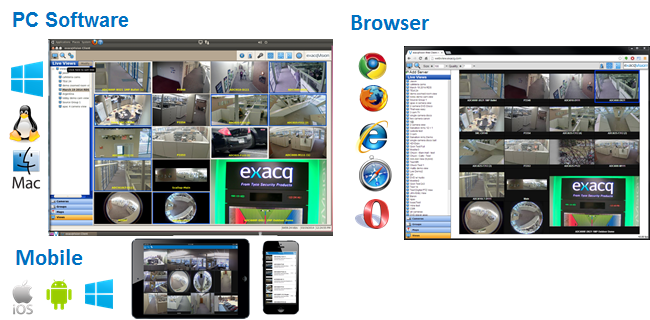
Access live and recorded video on multiple PCs through the freely distributed client applications, free web server application and free mobile app available for iOS, Android and Windows Phone 8.
Recorder Hardware Requirements
|
Minimum
Up to 16 cameras*
1-2 simultaneous remote clients |
Recommended
Up to 64 cameras*
4 simultaneous remote clients |
High Performance
Up to 175 cameras*
5+ simultaneous remote clients |
|
Processor |
Intel Celeron | Intel Core i3 | Intel Core i7 |
RAM |
4 GB | 4 GB | 8 GB |
Operating System Drive |
HDD (1TB) | SSD (128 GB) | SSD (128 GB) |
Video Storage Drive |
120 Mbps (non-sequental write)* | 240 Mbps (non-sequental write)* | 480 Mbps (non-sequental write)* |
NIC |
2x1 Gbps | 2x1 Gbps | 2x1 Gbps |
* Assuming each camera with a primary stream at 1080p@15fps@5Mbps and secondary stream at 1080p@15fps@2.5Mbps
Client Hardware Requirements
|
Minimum
One monitor, up to 16 streams
1080p @ 15fps |
Recommended
Two monitors, up to 32 streams
1080p @ 15fps |
High Performance
Four monitors, up to 64 streams
1080p @ 15fps |
|
Processor |
Intel Celeron | Intel Core i3 | Dual Xeon processors |
RAM |
4 GB | 8 GB | 16 GB |
Hard Drive |
128 GB SSD | 128 GB SSD | 128 GB SSD |
Graphics |
Intel HD Graphics | Intel HD Graphics | NVIDIA or similar discrete graphics card |
NIC |
1x1 Gbps | 1x1 Gbps | 1x1 Gbps |
Supported Operating Systems
|
Windows
Server, Client, Web Service
|
Linux
Server, Client, Web Service
|
Mac
Client Only
|
|
Recommended |
Windows 11 | Ubuntu 22.04 (64-bit) | macOS 15 (Sequoia) |
| Windows 10 | Ubuntu 20.04 (64-bit) | macOS 14 (Sonoma) | |
| Windows Server 2022 | Ubuntu 18.04 (64-bit) | macOS 13 (Ventura) | |
| Windows Server 2019 | Ubuntu 16.04 (64-bit) | macOS 12 (Monterey) | |
| Windows Server 2016 | Ubuntu 14.04 (64-bit) |
Supported Web Browsers


|
NOTE: The web service is typically installed on the exacqVision video server. It has the same CPU and RAM requirements as a client workstation, which vary based on resolution and quantity of simultaneous camera streams. |
Mobile Device Access


|
NOTE: Mobile device access requires the web service to be activated on the NVR or another server. |

Connect With Us